The short answer
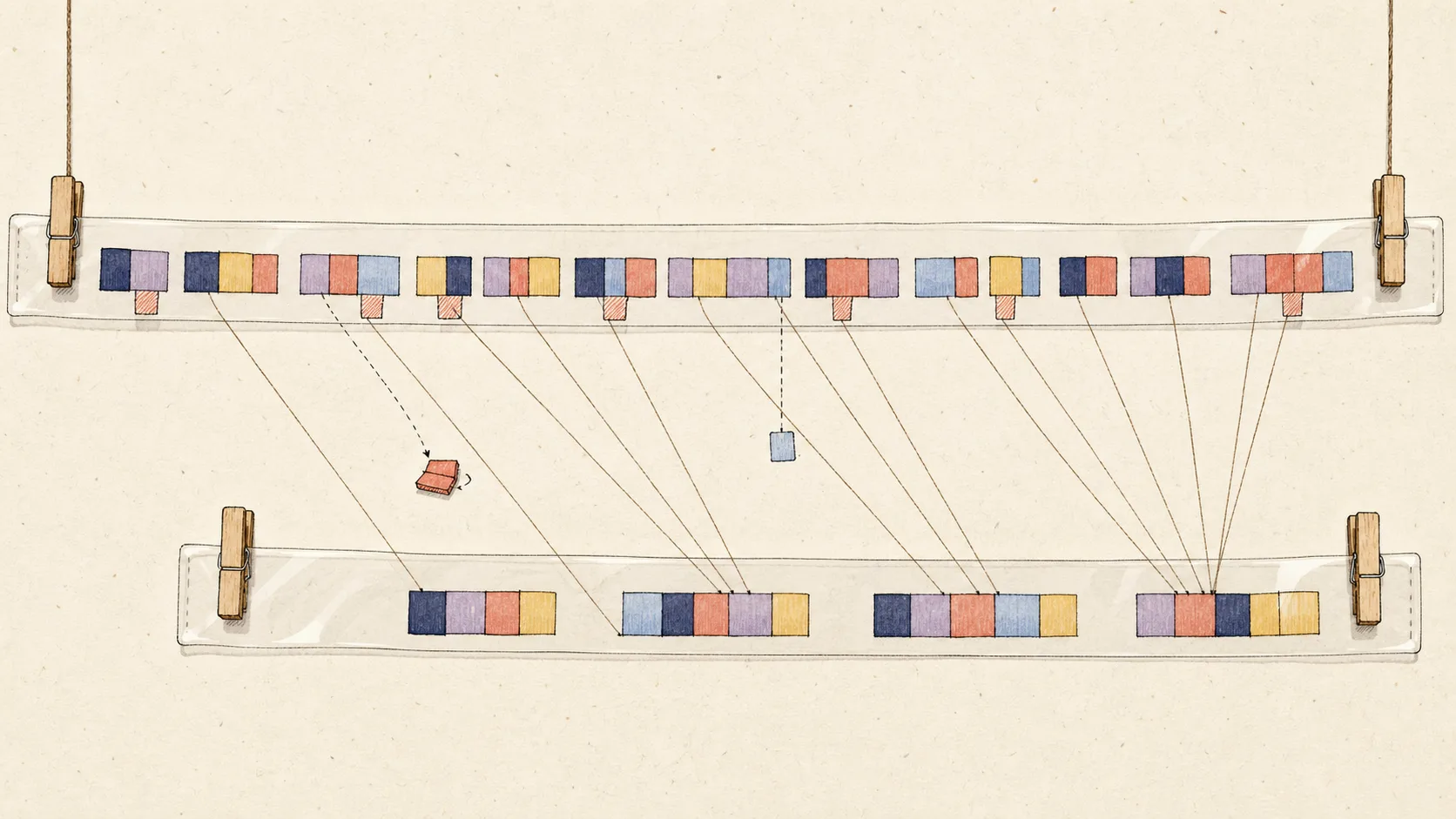
Your Shopify revenue does not match your bank deposits because a sale and a deposit happen at different stages. Shopify records what customers bought. The payment provider collects the money, subtracts or holds certain amounts, groups transactions into payouts, and sends the remaining cash later.
A Monday deposit might contain sales from Thursday through Sunday, less refunds and processing fees, plus an adjustment from an earlier dispute. Monday's Shopify sales might instead arrive in a Wednesday payout. Comparing the two Monday totals tells you very little.
Shopify states that its payout reconciliation report is not a revenue statement. The Finance reports describe sales and payment activity; the payout report describes movement through Shopify Payments. Your bank statement shows only the final cash transfers.
Four dates can belong to one Shopify order
One order can have an order date, payment-capture date, payout date and bank-posting date. A refund can add a fifth date. Month-end makes the differences more visible because one economic story can cross two accounting periods.
Imagine a customer orders on 30 April, the card is captured that day, Shopify includes the payment in a payout dated 2 May, and the bank posts the deposit on 3 May. Under an accrual method, the sale may belong in April even though the cash arrives in May. Under a cash method, the approved recognition point may be different.
Choose the accounting method with your accountant, then use it consistently. Do not move sales between months simply because Shopify changed the payout schedule or a bank posted one day later than usual.
| Date | What happened | Where to look |
|---|---|---|
| 30 April | Customer placed the order | Shopify sales report |
| 30 April | Payment was captured | Shopify payments report |
| 2 May | Provider created the payout | Shopify payout detail |
| 3 May | Bank posted the deposit | Bank statement or feed |
Use the right report for each question
Start with the question you need to answer. If you want revenue, use the sales reports and the approved accounting policy. If you want captured customer money, use payments reports. If you want to explain Shopify Payments funds, use payout reconciliation and payout detail. If you want to prove cash, use the bank statement.
Shopify total sales can include product sales, discounts, returns, shipping, tax and relevant fees. That total is not automatically the revenue line you should post to QuickBooks. Tax may be a liability, gift-card cash may be deferred, and payment fees are normally a separate expense.
| Total | What it answers | What it does not prove |
|---|---|---|
| Shopify net sales | Value sold after discounts and returns | Cash received in the bank |
| Shopify total sales | Customer-facing sales components for the period | Accounting revenue under every policy |
| Net payments | Captured payments less refunds | One Shopify Payments payout |
| Payout amount | Provider funds transferred after deductions | Sales made on the payout date |
| Bank deposit | Cash posted by the bank | New revenue that still needs recording |
Worked example: $22,400 of sales becomes a $19,620 deposit
Suppose Shopify reports $22,400 of product and shipping sales for a period, plus $1,800 of sales tax. Customers therefore paid $24,200 through Shopify Payments before refunds and other activity.
The provider also processes $2,100 of refunds, deducts $760 of payment fees, and holds $900 in a temporary reserve. It releases a $180 reserve from an earlier period. The payout is $20,620 before considering any opening provider balance or prior payout timing.
Now assume $1,000 of the period's customer payments misses the payout cut-off and stays pending. The bank receives $19,620. Neither $19,620 nor $20,620 is the period's revenue. The sales, tax liability, refunds, fees, reserve movements and closing provider balance must remain separate.
| Movement | Amount | Meaning |
|---|---|---|
| Product and shipping sales | $22,400 | Revenue before approved adjustments |
| Sales tax collected | $1,800 | Potential tax liability, not ordinary revenue |
| Refunds | ($2,100) | Customer value returned |
| Payment fees | ($760) | Processing expense |
| New reserve | ($900) | Provider cash held |
| Old reserve released | $180 | Earlier held cash returned |
| Still pending at cut-off | ($1,000) | Provider balance not yet paid |
| Bank deposit | $19,620 | Cash received now |
Reason 1: Shopify deducts payment-processing fees
Shopify Payments normally deducts processing fees before sending the payout. The bank therefore receives less than the captured customer payments even when there are no refunds or disputes.
Do not record the net deposit as sales and ignore the fee. That hides both revenue and the cost of collecting it. Record the sales under the approved policy, record the processing fee separately, and let both amounts contribute to the payout balance.
Keep Shopify subscription and app bills out of this calculation. Shopify's payout reconciliation report does not include ordinary Shopify billing fees. Those charges have their own invoice and bank or card payment evidence.
Reason 2: refunds rarely follow the original sale date
A customer may buy in March, request a return in April, and have the refund deducted from a May payout. The original sale, return and cash deduction can therefore appear in three different reporting periods.
Compare refund evidence using the refund date and original order reference, not only the current day's sales. A week with low sales and several older refunds can produce a small or negative payout even though current revenue is positive.
If a refund returns value to a gift card or store credit, no equal bank movement may occur. The liability increases instead. That is another reason the sales report and bank statement cannot be reconciled by subtraction alone.
Reason 3: several days of sales are grouped into one payout
Payout schedules depend on the country, account status, chosen schedule and banking days. Weekends and holidays can move cash without changing the underlying sales. A single deposit can contain several days of captured activity, while the last days of the month remain pending.
Use the individual payout page to see the transactions included in one deposit. Use the date-range payout reconciliation report to prove the opening provider balance, activity, total payouts and ending balance across a month.
Do not split a payout across daily revenue merely to make each bank line look familiar. Preserve the provider's grouping and use the order or sales reports for the daily commercial view.
Reason 4: tax, gift cards and other liabilities move cash
A customer can pay sales tax or VAT with an order. The provider sends that cash to the merchant unless another party remits it, but the amount is usually not merchant revenue when it must be paid to a tax authority.
A sold gift card also creates cash before goods are delivered. Shopify reports that cash in payment activity, while the accounting normally creates a gift-card liability until redemption under the approved policy. When the card is redeemed, sales can appear without equivalent new provider cash.
Tips, deposits, store credit and marketplace-remitted tax can create other differences. Name the category and map it to the right revenue, liability or expense account. Do not use a generic adjustment simply to make the payout balance.
Reason 5: PayPal and other gateways settle elsewhere
Shopify sales reports can include orders paid through PayPal, Klarna, a manual method or another processor. Shopify Payments payout reports include only funds handled by Shopify Payments, not cash settled by every gateway shown at checkout.
If $2,000 of the month's Shopify sales was paid through PayPal, those sales can be correct while the Shopify Payments deposits are $2,000 lower before fees and timing. Look for the PayPal settlement separately.
Give each provider that holds and transfers money its own clearing path. Reconcile Shopify Payments to Shopify evidence, PayPal to PayPal evidence, and each bank deposit to the provider that sent it.
- List every payment gateway used during the period.
- Identify which provider received each captured payment.
- Identify which provider issued each refund or dispute deduction.
- Match every deposit to the provider that sent it.
- Keep separate provider balances when settlements arrive independently.
Reason 6: reserves, holds and negative balances change cash timing
Shopify Payments can hold part of the provider balance as a reserve or risk hold. The cash remains connected to earlier activity but is not paid to the bank until release. A later release increases a payout without creating new sales on the release date.
Disputes, payout reversals and negative balances can also reduce a future payout. Treat the exact provider event according to its status. A temporary dispute hold is not automatically a final loss, and a released hold is not new revenue.
Keep the payout reconciliation report with the close evidence because it shows reserves and holds separately. An unexplained provider balance should remain open for review rather than being cleared to miscellaneous income or expense.
Reason 7: cash and accrual methods use different recognition points
Under accrual accounting, revenue is generally recorded when earned under the approved policy, even if the payout reaches the bank later. A clearing account shows the captured money still owed by the provider at month-end.
Cash-basis reporting uses cash timing, but the exact trigger still needs a consistent policy. Customer payment capture, provider payout and bank posting are different moments. Ask the accountant which evidence controls the recognition date for the business and tax filing.
QuickBooks can display reports on cash or accrual bases. Confirm the report setting before comparing it with Shopify. A correct accrual report and a correct cash report can show different revenue for the same month.
How to find the exact cause of your mismatch
- Choose one date range, accounting time zone and payout currency.
- Export Shopify sales, payments and the payout reconciliation report for that period.
- List every Shopify Payments payout and its bank-posting date.
- Separate activity handled by PayPal or another gateway.
- Calculate opening provider balance plus activity less payouts to get the closing balance.
- Compare each payout with its detailed transactions, fees, refunds, disputes and holds.
- Match each payout to one bank deposit, allowing for normal bank-posting delay.
- Investigate only the remaining difference using exact amounts and references.
| Pattern | First place to look |
|---|---|
| Difference equals one payout | Missing or wrong bank match |
| Small percentage of sales | Processing fees omitted |
| Difference equals an older refund | Refund deducted in a later payout |
| Difference equals PayPal sales | Separate gateway settlement |
| Difference appears only at month-end | Pending payout or cut-off timing |
| Difference repeats after every import | Duplicate connector or bank categorisation |
What to do in QuickBooks when the deposit arrives
If the payout is already recorded in QuickBooks, match the downloaded bank transaction to that existing record. Intuit says a match is appropriate when the transaction already exists. Adding the bank deposit as new Shopify income records the same economic activity twice.
If no payout record exists, reconstruct the sales, refunds, fees, liabilities and provider transfer before matching the bank. Do not create one net sales entry merely because the bank feed needs a category.
Reconcile the real bank account to the statement after all deposits are matched. Reconcile Shopify clearing separately to the provider's supported ending balance. A clean bank reconciliation proves cash; a clean clearing reconciliation proves the route from customer activity to cash.
How Vatteo connects revenue to the bank without forcing a match
Vatteo keeps Shopify sales evidence, provider balance activity, payout grouping and bank matching as connected but separate layers. Every completed payout is reconstructed from its transactions, fees, refunds, disputes, tax and supported adjustments before anything reaches QuickBooks.
The payout ID becomes the control reference. Vatteo prevents the same payout from posting twice, verifies the QuickBooks journal after posting, and keeps the remaining clearing balance visible for the month-end review.
For Shopify Payments merchants using QuickBooks Online, this is safer than comparing a sales dashboard with bank deposits and guessing the difference. The merchant can see which revenue belongs to the period and which cash is still pending, held or settled elsewhere.
Monthly revenue-to-bank checklist
- Shopify sales and returns are complete for the chosen period.
- The accounting method and report basis are confirmed.
- Tax, gift cards and other liabilities are separated from revenue.
- Every payment gateway has its own settlement evidence.
- Fees, refunds, disputes, reserves and holds are included.
- Opening and closing Shopify Payments balances are supported.
- Every completed payout maps to one bank deposit or a named item in transit.
- Bank-feed deposits are matched, not added as duplicate income.
- Shopify clearing agrees with the provider balance at the cut-off.
- The bank account agrees with the statement after reconciliation.
Common questions
Shopify revenue and bank deposits FAQ
Why are my Shopify bank deposits lower than sales?
Processing fees, refunds, disputes, reserves, other payment gateways and payout timing can all make deposits lower than Shopify sales for the same dates.
Should Shopify payouts be recorded as revenue?
No. A payout is a transfer of provider funds after deductions. Record the sales, refunds, fees, liabilities and clearing movement that explain it, then match the deposit.
Why is a Shopify payout higher than that day's sales?
The payout can contain captured payments from several earlier days, a released reserve or another positive adjustment. Use the payout detail instead of the payout date's sales.
Does PayPal money appear in Shopify payouts?
Orders paid through PayPal can appear in Shopify sales, but PayPal normally settles its own funds. Reconcile the PayPal deposits separately from Shopify Payments.
Can Shopify revenue and bank deposits ever match exactly?
They can match by coincidence in a simple period with no fees, refunds, timing difference or other gateways, but they are still different measures and should be reconciled through provider activity.
How does Vatteo explain the difference?
Vatteo reconstructs each Shopify payout, separates accounting categories, tracks provider clearing, blocks duplicate posting and verifies the QuickBooks result before bank matching.
Sources
Platform behaviour changes. These first-party references were checked on 2 August 2026.
- Shopify: Finance reports and total sales
- Shopify: Payout reconciliation report
- Shopify: View and export payout details
- Shopify: Getting paid with Shopify Payments
- Shopify: Shopify Payments reserves
- QuickBooks: Match bank transactions
- QuickBooks: Record and make bank deposits
- QuickBooks: Set up a clearing account
- QuickBooks: Reconcile an account
- QuickBooks: When revenue is considered earned